Applies to Permobil Power Platform wheelchairs (M and F series). US deliveries were factory-connected from April 28, 2026 and Canadian deliveries from August 27, 2026; existing chairs in the field were activated on October 1, 2026. Timing in other regions may differ — confirm with your local Permobil dealer.
What changed on October 1, 2026
Permobil's current power wheelchairs are built on what the company calls the Power Platform, its digital backbone, with +Connect as the always-on connectivity layer inside the chair. Chairs leaving the factory were already connected: in the United States, all M and F series power wheelchairs delivered from April 28, 2026 shipped as connected chairs, and in Canada factory-connected deliveries began on August 27, 2026. October 1, 2026 was the day the rest of the fleet caught up. On that date Permobil enabled connectivity on existing Power Platform wheelchairs already in users' hands — a retro-activation that, in the company's words, complements the factory-connected units introduced earlier. No new hardware was fitted and no dealer visit was needed. The connectivity hardware was already built into these chairs, so activation happened automatically in the background, without the owner having to do anything for the switch itself. The distinction is worth making clearly. This was not a new product launch. A connected chair does not gain new motors, new seating, or more range; it gains a data link between the chair, the owner's phone, and the dealer's service tools. Permobil's new-model announcement for the M4 Nexa, which this site covered separately as a product launch, is a different story about new hardware. The October 1 change is about the installed base — the chairs people already own — joining the same connected ecosystem. The published scope covers Power Platform wheelchairs in the M and F series. Timing varies by market: the April 28 date applies to US deliveries and the August 27 date to Canadian deliveries, while October 1 is the company's stated date for switching on existing chairs in the field. Owners in other regions should confirm timing with their local Permobil organization, since the published dates are tied to the US and Canadian rollouts. The fleet page describes Power Platform and +Connect as the core digital infrastructure of the chair: built-in connectivity supporting remote service, configuration, and troubleshooting, with the MyPermobil app giving users battery and usage information and Fleet Management giving dealers a window into the chairs they support. That infrastructure framing explains why the activation could be remote at all. Because the radio, sensors, and software were already in the chairs, switching them on was a fleet operation, not a service campaign — no appointments, no parts, no workshop time. For owners, the practical consequence is that nothing about the chair's physical behavior changed on October 1; what changed is that the chair can now report on itself. The company's own footnote adds the Canadian nuance: chairs delivered in Canada were factory-connected from August 27, 2026, so Canadian owners of recent chairs were already inside the connected ecosystem before the field activation date.
What your chair sends — and what you get back
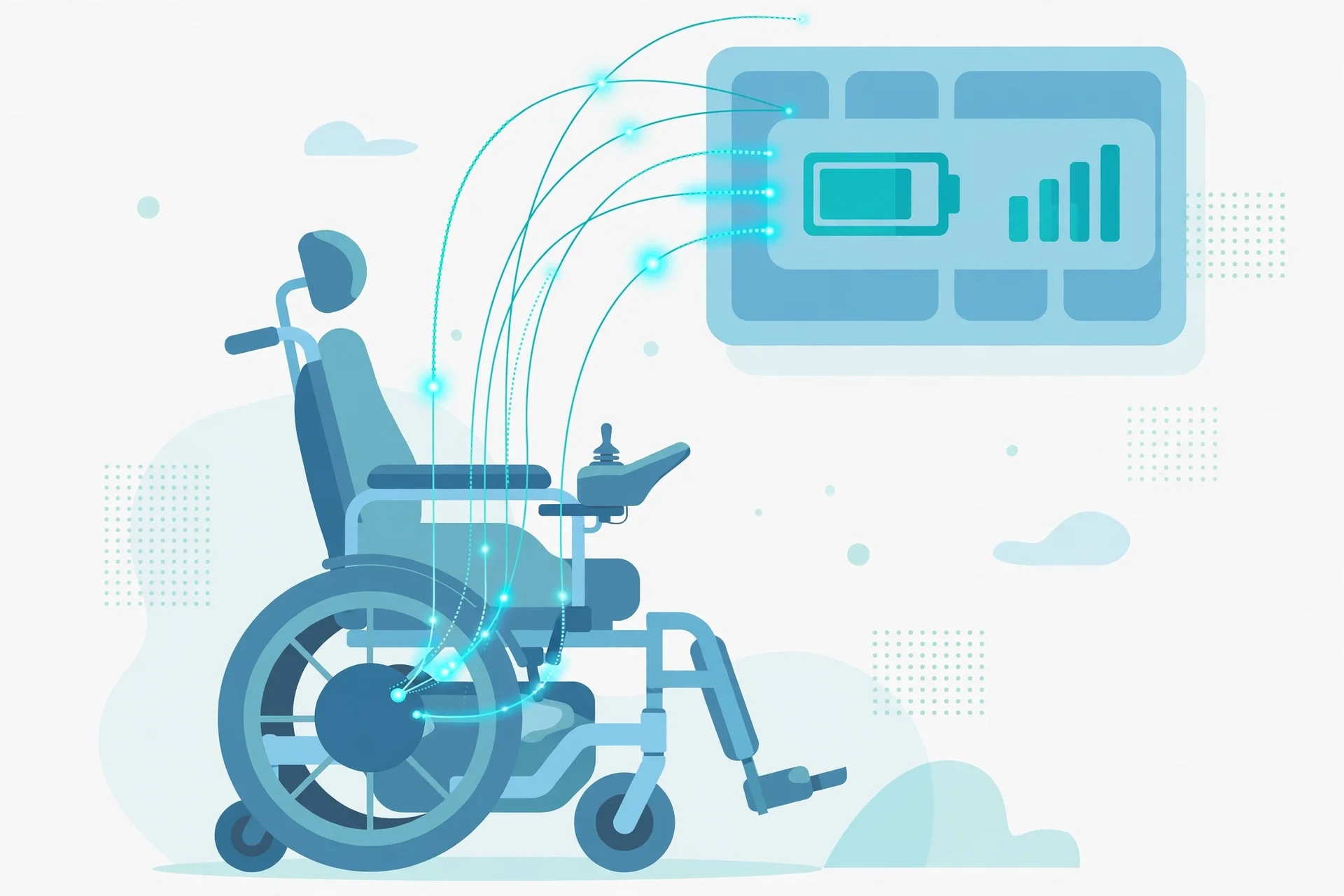
A connected Permobil power wheelchair uses built-in Internet of Things technology to send technical data from the chair to Permobil. According to the company's published FAQ, that data includes seating positions, daily mileage, charging sessions, battery voltage and battery health, and a system log of error, warning, and informational messages. It is technical telemetry about how the chair is performing, and Permobil presents insights based on it in two places. For the user, there is the MyPermobil app. The published path for owners is to download the app, create an account, and add the wheelchair by following the in-app instructions — or to contact Permobil Customer Experience for help. The app is free and available for iOS and Android devices. Through it, users can see battery range, mileage, seating information, and logs, adjust available settings including lights, find maps and support contacts, and personalize the chair. For the dealer or provider, there is Fleet Management. Permobil makes the data insights available there so providers can see the chair's status, run remote diagnostics, and troubleshoot without always needing an in-person visit. The stated benefit on both sides is practical: problems can often be spotted and solved with less downtime and fewer service visits, keeping the chair performing at its best over its life. For owners, the most visible day-to-day change is the app: battery insights and range estimates, seating behavior data, and a direct line to support contacts, all in one place. For providers, the change is operational: a population of connected chairs that can be supported proactively rather than only when something breaks. None of this changes how the chair drives. It changes how the chair is looked after. On the provider side, Fleet Management turns that telemetry into a working tool. The company describes connected chairs as working quietly in the background to reduce interruptions in everyday life: remote service support, configuration, and troubleshooting, with usage and battery information available to the end user through the app. For a dealer supporting dozens or hundreds of chairs, the difference is between reacting to breakdowns and seeing them coming — a battery trending downward, a fault code appearing in the log — and scheduling service before the chair stops. The FAQ is explicit that the technical data is part of the wheelchair's digital infrastructure, used to confirm the product is functioning as it should in near real time, to create insights that optimize the user experience, and to improve product quality, safety, and reliability over time. For the owner, the most tangible new capability is visibility. Battery range estimates replace guesswork about whether the chair will last the day; charging session history shows whether the battery is holding up; seating behavior data can inform clinical reviews of positioning. None of this replaces the dealer relationship — Permobil routes the insights to providers precisely so they can deliver more efficient, higher-quality service — but it does mean the owner arrives at that conversation with data rather than just symptoms.
Privacy, consent, and opting out
Connectivity raises questions about privacy and data use, and Permobil addresses them directly on its own pages. The company's stated position is that +Connect is built with clear boundaries, focused on using only the information needed to deliver practical benefits over the life of the chair. Two points from the published FAQ matter most. First, Permobil does not share the technical data with third parties; insights are shared with service providers through Fleet Management and with wheelchair users through the MyPermobil app. Second, Permobil does not proactively monitor or surveil the technical data available in Fleet Management — the data is made available so providers have the opportunity to better service their users, not so the company watches every chair in real time. Consent is handled through the app. Technical data is linked to the chair when the user creates a MyPermobil account and adds the wheelchair, which is the step that connects personal account details to the chair's telemetry. Users who do not want the chair to transmit data can opt out. The published process is to contact Permobil Customer Experience and request that technical data transmission be turned off; it can be done remotely, though the company notes it may take several days from the time of the request until the chair stops sending data. There is a trade-off to weigh: by choosing to turn off transmission, the user accepts that the lack of connectivity may affect provider serviceability, including service efficiency and the overall user experience. The practical reading is straightforward. If you value remote diagnostics and battery insights, keep the link and use the app. If you prefer the chair to stay offline, the opt-out path exists and is documented — just expect service to work the old-fashioned way. A few practical points are worth spelling out. Creating the MyPermobil account and adding the chair is the step that links the technical telemetry to you personally — that is the consent moment, so it is worth reading what the app asks for before tapping through. The company's privacy framing is that only the information needed to deliver practical benefits is used, and the FAQ's no-third-party-sharing and no-proactive-monitoring statements set the boundary in plain terms. If you opt out, remember the mechanics: the request goes to Permobil Customer Experience, it can be handled remotely, and it may take several days before transmission actually stops — so do not assume an immediate cutoff. And opting out is about data transmission, not about the chair itself; the chair keeps driving exactly as before, but your provider loses the remote window into its status, which the company says may affect service efficiency and the user experience. For most owners the sensible middle path is to link the chair, use the app for a few weeks, and then decide with real experience rather than abstract worry. If anything in the data sharing still bothers you after that, the opt-out route is documented and available.
What owners should do now
For most owners, the October 1 switch required no action at all — the activation happened in the background. What is worth doing is deciding how you want to use the connection now that it exists. First, check whether your chair is covered. The published scope is Power Platform wheelchairs in the M and F series; US chairs delivered from April 28, 2026 and Canadian chairs delivered from August 27, 2026 left the factory connected, while earlier chairs in the field were switched on October 1, 2026. If you are unsure, your dealer can confirm from the serial number. Second, if you want the app's insights, download the MyPermobil app, create an account, and add your wheelchair following the in-app instructions. That is the company's stated path for chairs delivered before factory connection began, and it is also how newer owners link their chairs. Third, talk to your provider. Ask whether they use Fleet Management, how they handle alerts from connected chairs, and what they need from you — for example, keeping your contact details current so they can reach you if the data flags an issue. Fourth, note the market timing. The published dates are US and Canadian; owners elsewhere should ask their local Permobil organization when, or whether, retro-activation applies to their chairs. And fifth, if you would rather the chair stayed offline, use the opt-out route described above rather than simply ignoring the feature — an unlinked but transmitting chair helps nobody. The bottom line: the hardware was already in the chair, the switch has been flipped, and the remaining decision is yours — app and proactive service, or offline and traditional. Either way, keep your dealer's contact details handy, because the human relationship behind the data link still matters most. A concrete checklist helps. First, identify your chair: model, series, and delivery date, ideally from the purchase paperwork or the serial plate — your dealer can confirm from the serial number whether it is a Power Platform chair and whether it was in the activated population. Second, set up the app if you want it: download MyPermobil, create an account, and add the wheelchair through the in-app flow; the company's FAQ lists this as the path for chairs delivered before factory connection began, and contacting Permobil Customer Experience is the stated alternative. Third, call your provider and ask two questions: do you use Fleet Management, and what do you want me to do if the app shows me something odd? Fourth, if you are outside the US and Canada, ask your local Permobil organization about timing rather than assuming the October 1 date applied to your chair. Fifth, keep a copy of the connected-wheelchair FAQ with your chair's documents — it is the authoritative reference for what is sent, what is not shared, and how to opt out. Finally, keep your contact details current with your dealer. A connected chair can flag an issue, but somebody still has to reach you about it, and that part of the system is still gloriously analog.